What is NVRli26?

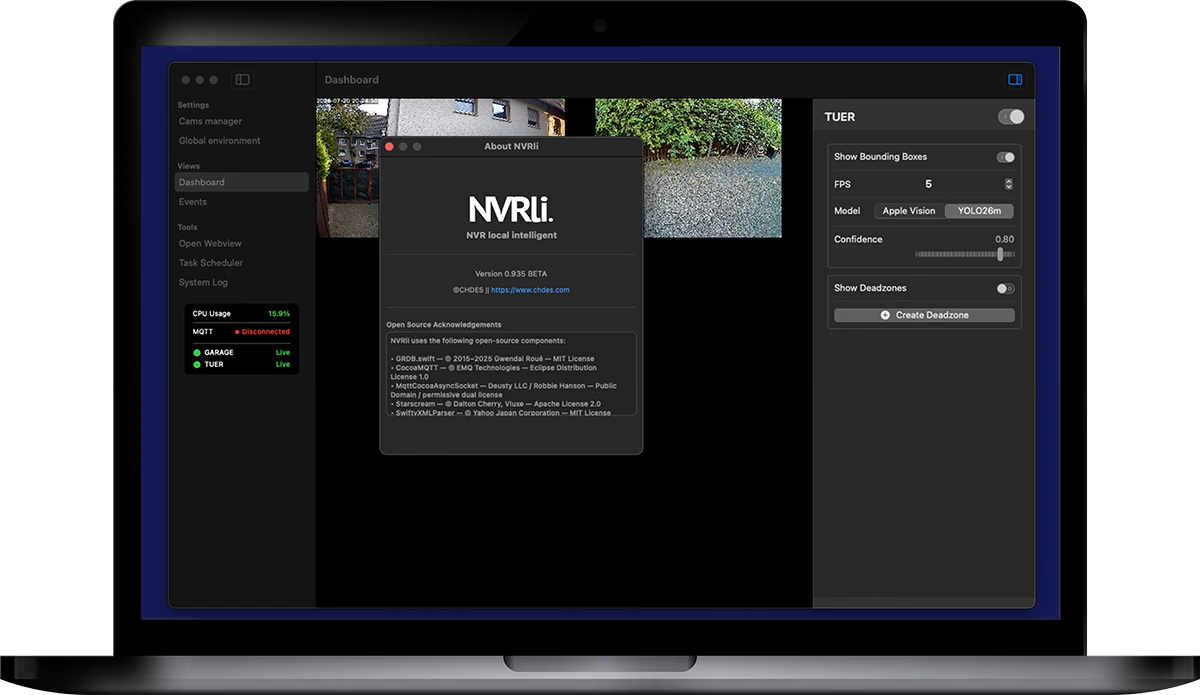
NVRli (Network Video Recording local intelligence) turns your Mac into an intelligent video surveillance hub. All data stays local on your system — no cloud, no subscriptions, no internet connection required.

Get the highlights.

test

test

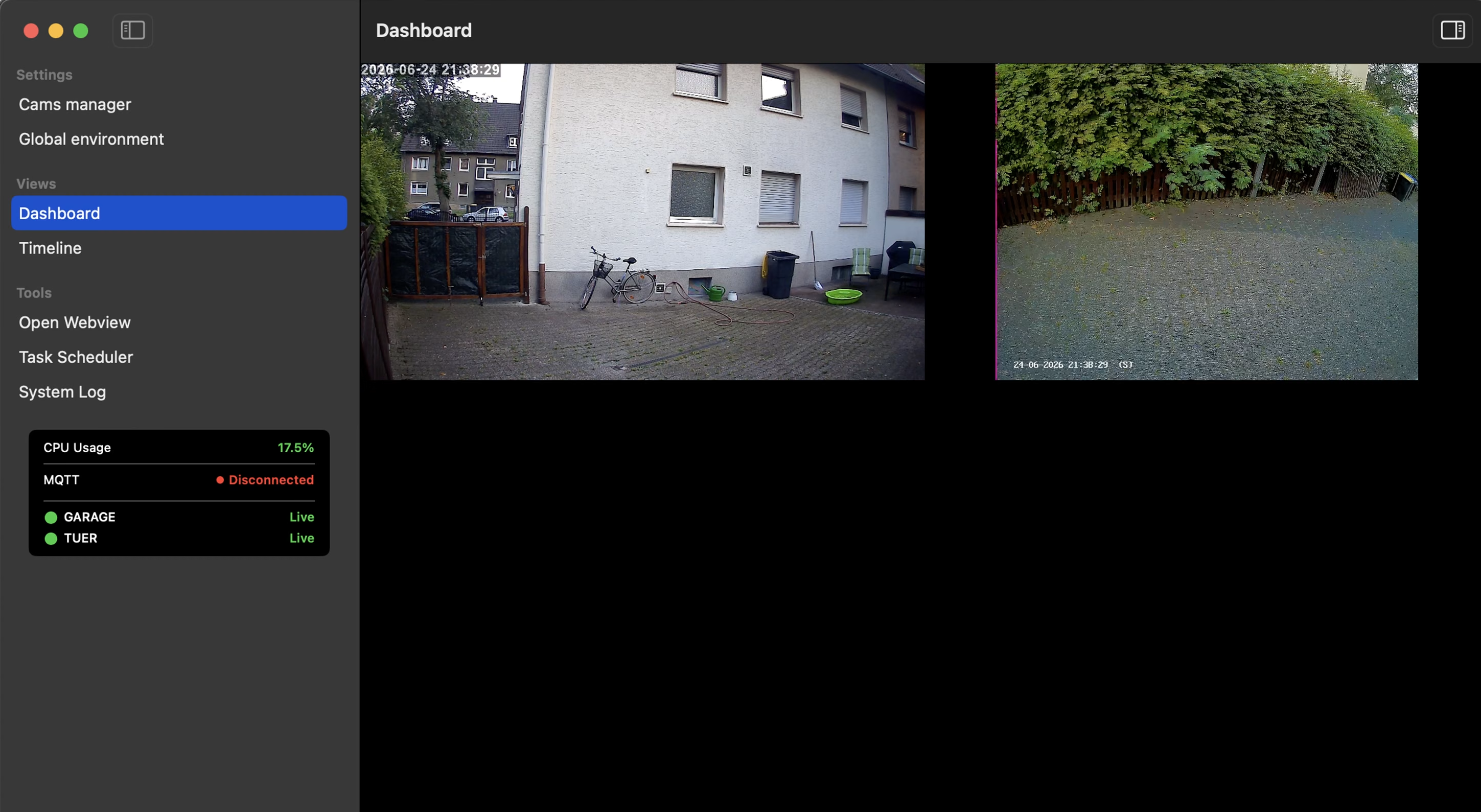
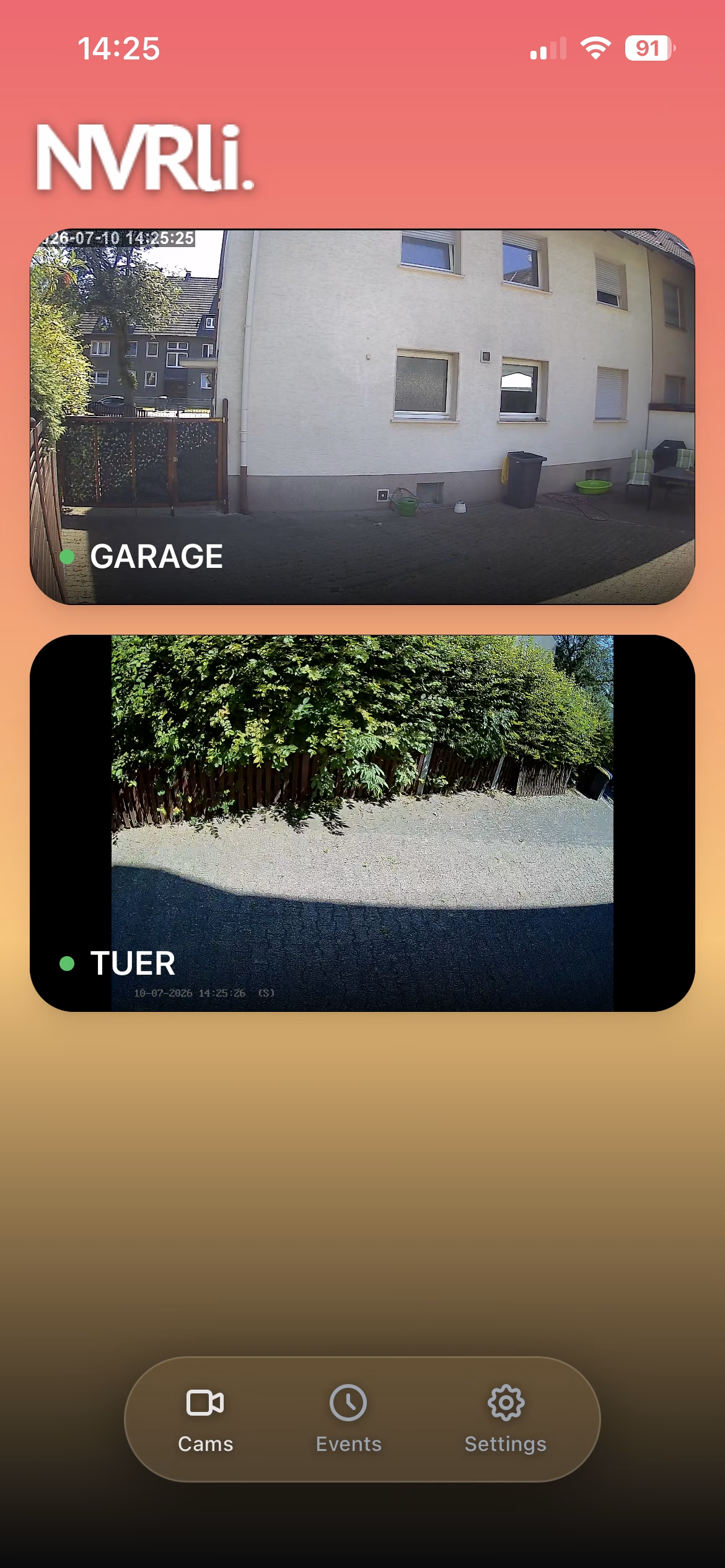
Dashboard with live grid and person detection

Dashboard. All cameras live — green frames mark detected people.

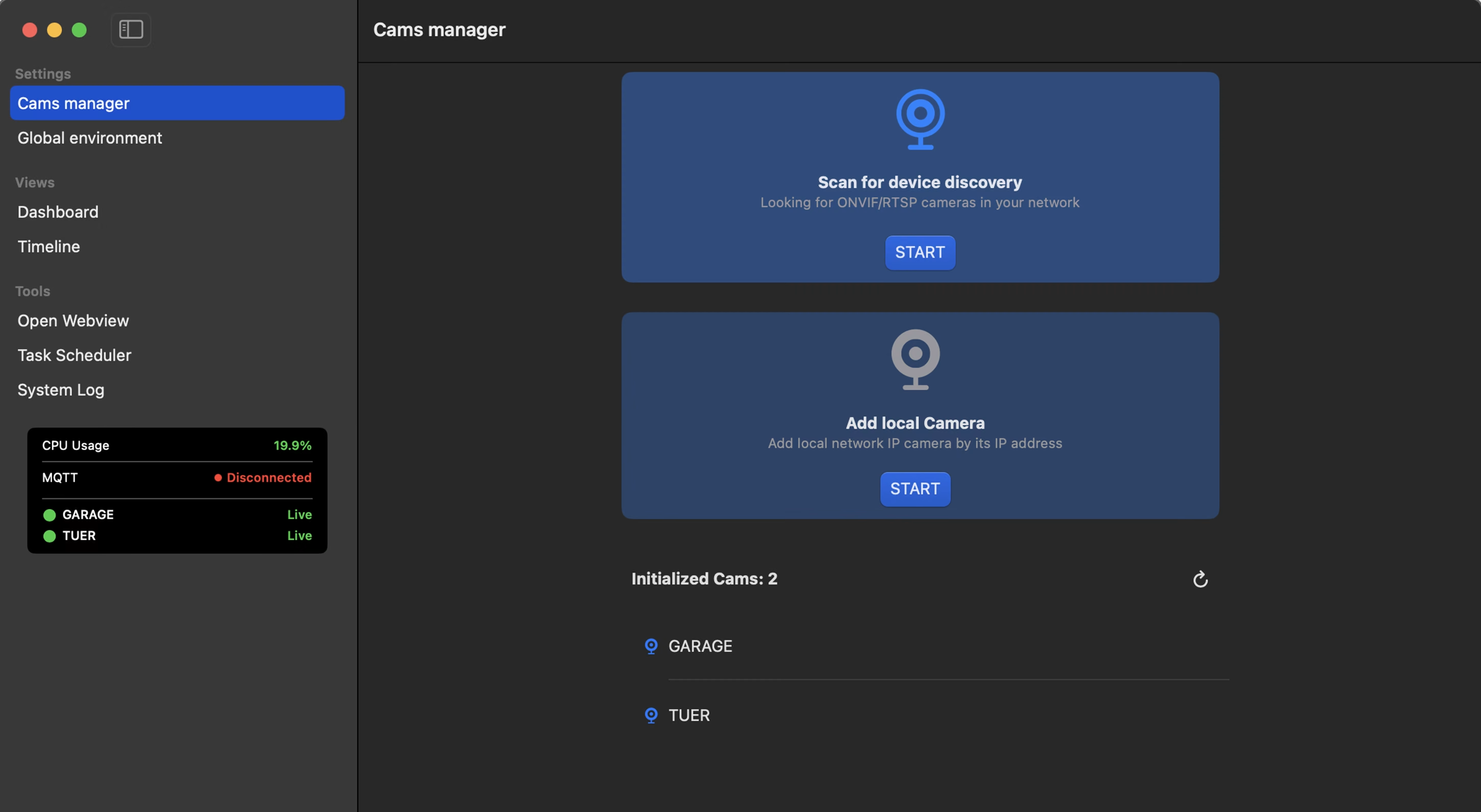
Camera manager with automatic ONVIF discovery

Camera Manager. NVRli finds your cameras on the network — automatically.

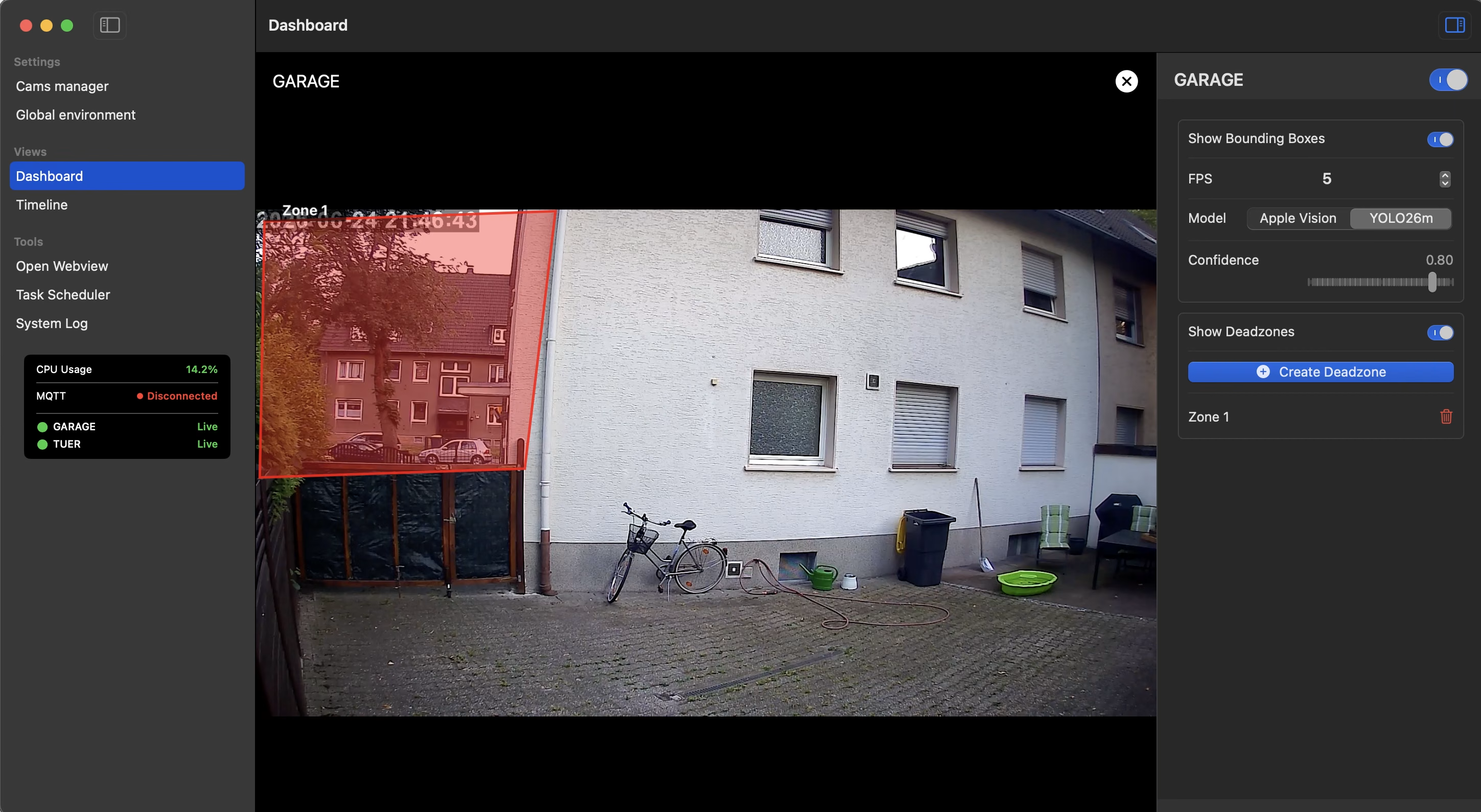
Deadzone editor with excluded image areas

Deadzones. Exclude distracting areas right in the live view.

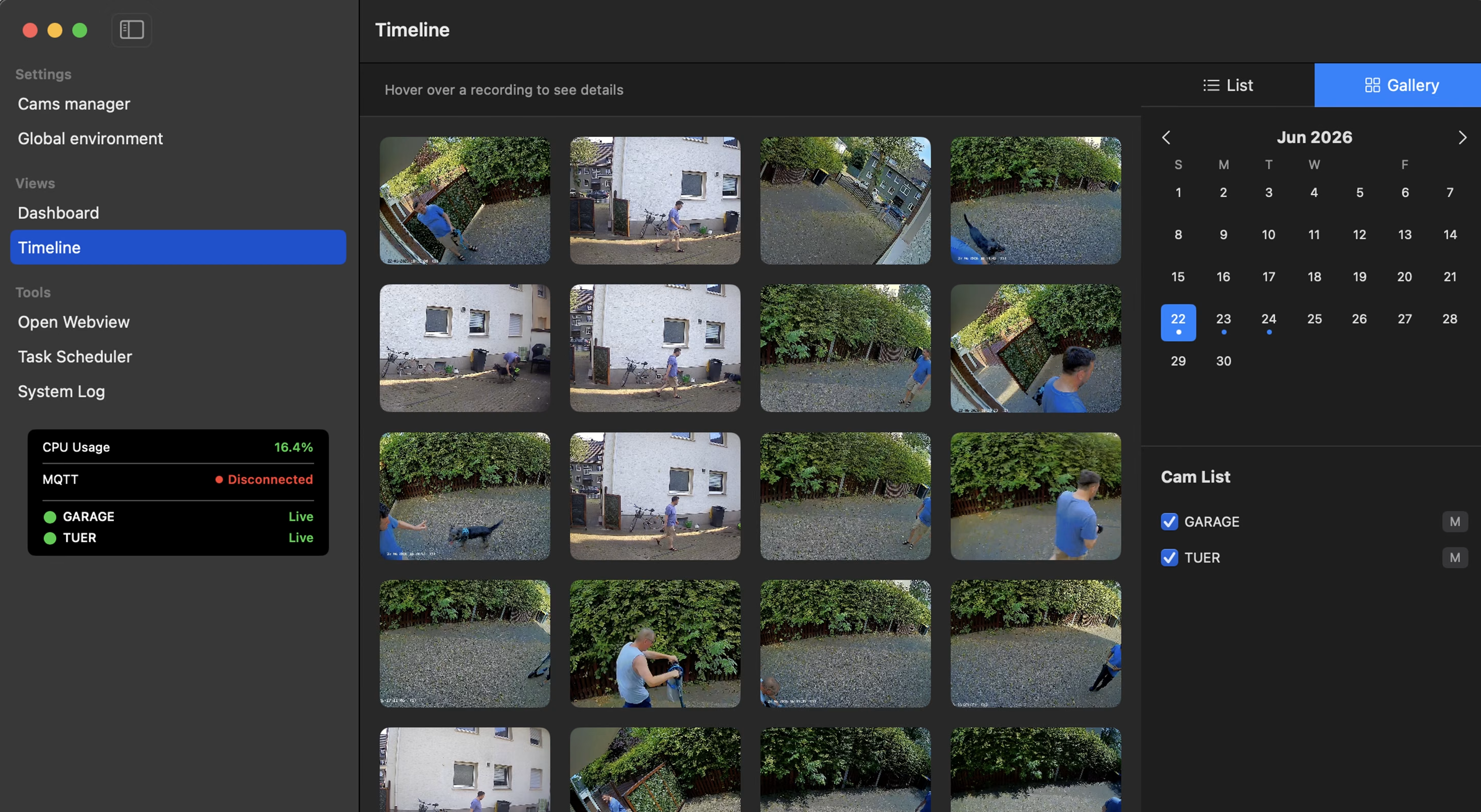
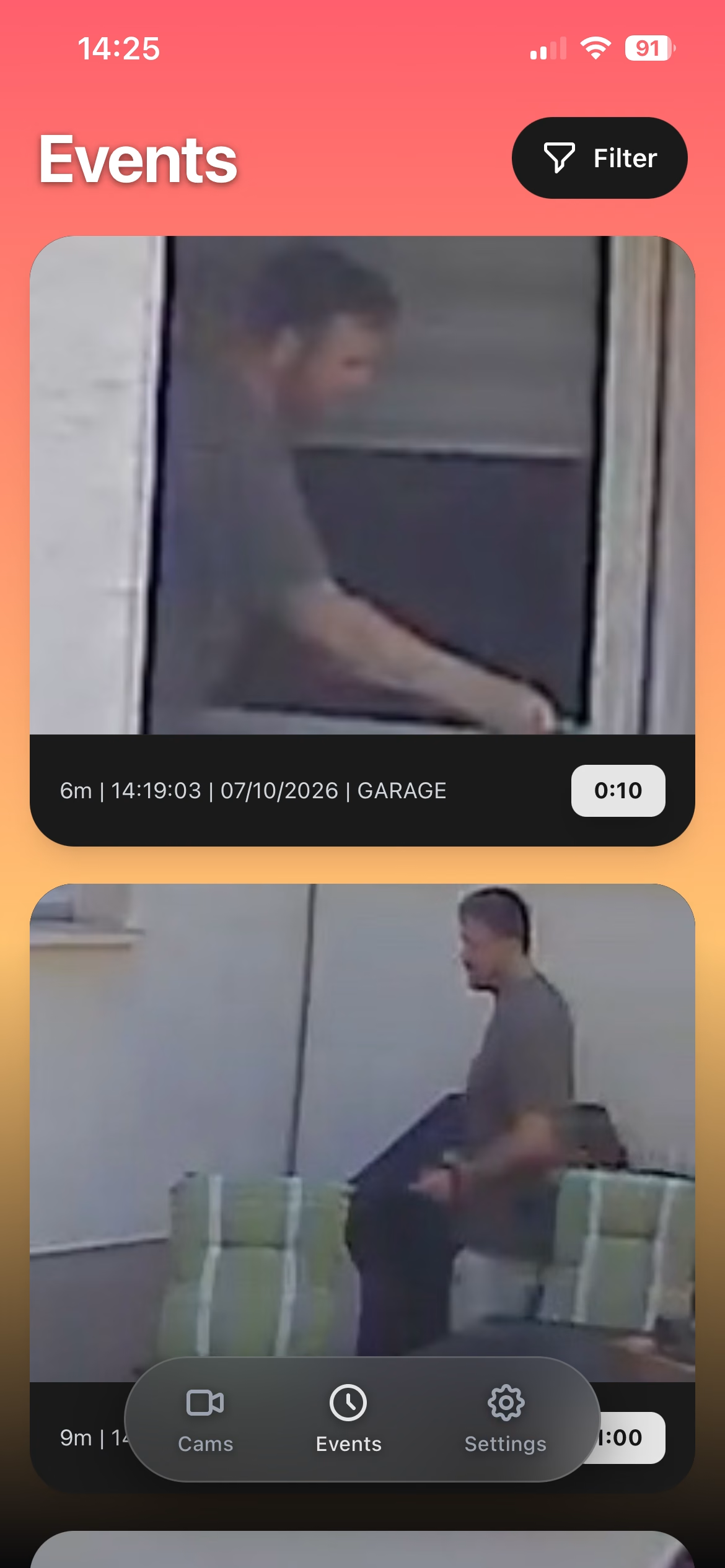
Timeline with recorded clips

Timeline. Every event — by date and camera, available anytime.

Für alle, denen ihre Privatsphäre nicht egal ist.

Du willst Überwachung, aber nicht überwacht werden. NVRli wurde von Grund auf für den lokalen Betrieb entwickelt – kein Frame verlässt je dein Netzwerk. Keine Cloud, kein Konto, kein Konzern dazwischen.

Everything you need. Nothing you don't.

Live Dashboard

All cameras live in one grid. The grid (1–6 columns) grows with your camera count — no fixed limit. Full screen with one click, settings right in the inspector.

Intelligent Detection

Real-time AI person detection, running directly on the Apple Neural Engine. With object tracking and zone filtering — fully on-device.

NVR Recording

Event-based recording with pre-buffer: the clip starts before the person enters the frame. Timeline, gallery, automatic retention.

Broad Camera Support

RTSP and ONVIF out of the box — with automatic network discovery. Reolink, Hikvision, Dahua, Tapo, Amcrest, Axis and many more.

Smart Home Ready

MQTT with Home Assistant Discovery: your cameras appear automatically as devices — motion sensor, online status, live snapshot. No YAML.

Instant Notifications

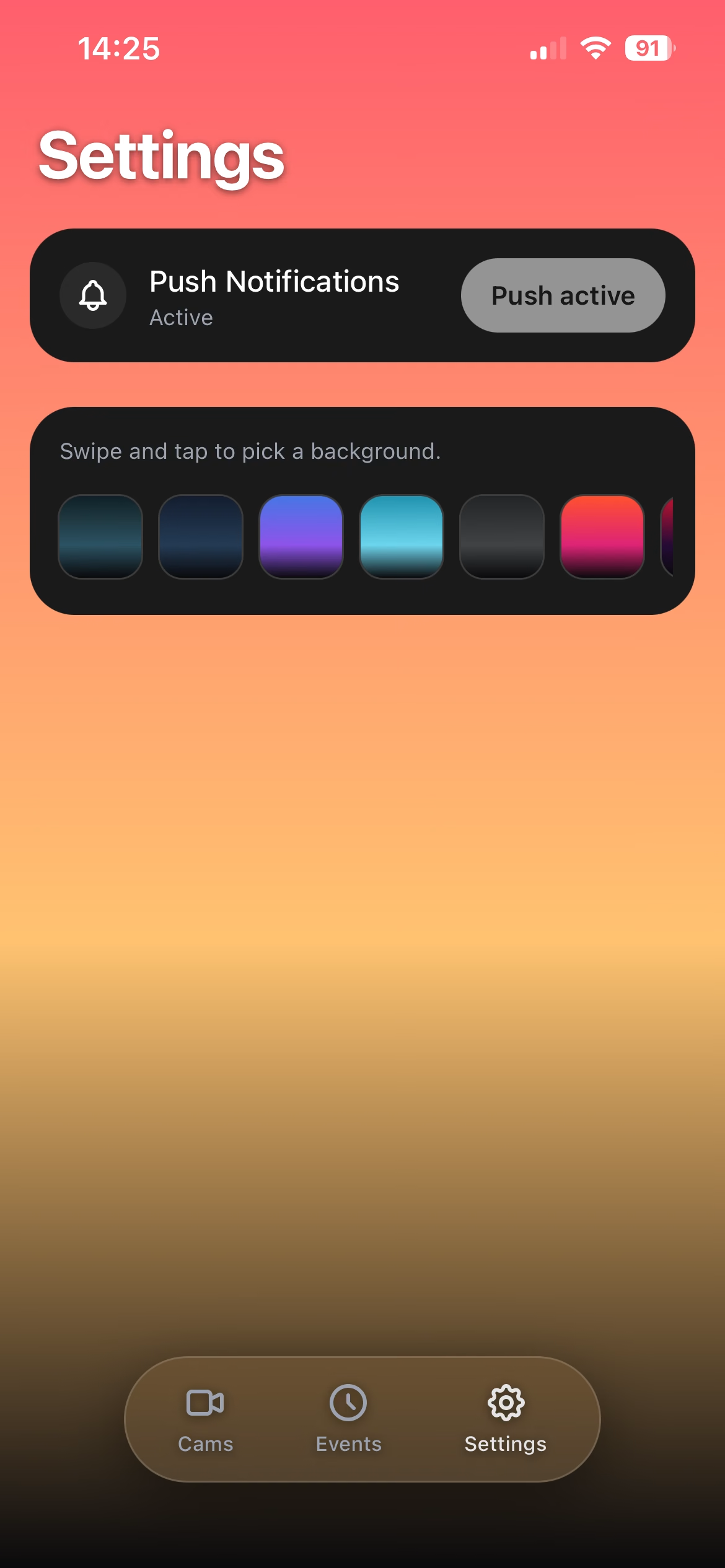
Web push straight to your phone (PWA) and snapshots or clips via Telegram — the moment a person is detected.

100% Local

Recording, AI and notifications run entirely on your Mac. No cloud account, no registration, no subscription.

Echte Intelligenz.

Nicht jede Bewegung ist relevant. NVRli erkennt gezielt Personen. Zwei KI-Modelle stehen zur Wahl: Apples Vision Framework für höchste Genauigkeit oder YOLO für maximale Geschwindigkeit — pro Kamera individuell einstellbar, samt Konfidenz-Schwellenwert. Beide Modelle laufen vollständig on-device auf der Apple Neural Engine.

Up and running in 3 steps.

Kameras verbinden

1 · Connect cameras

NVRli automatically scans your network for ONVIF cameras. Or simply enter your camera's RTSP URL. Once configured, NVRli reconnects on its own at the next launch.

KI einstellen

2 · Configure the AI

Choose the AI model per camera (Apple Vision or YOLO), set the confidence threshold and optionally draw deadzones — right in the inspector, no annoying dialogs.

Das war's.

3 · Record & react

From now on everything runs automatically: every detected person starts a recording, the pre-buffer saves the seconds before, and your smart home is notified instantly.

Weniger Alarm. Mehr Signal.

Bewegte Bäume, Straßenverkehr oder Spiegelungen sorgen oft für unnötige Erkennungen. Mit Deadzones markierst du Bereiche im Live-Bild, die von der KI dauerhaft ignoriert werden – individuell für jede Kamera. So lösen nur relevante Ereignisse eine Aufnahme aus.

Technically solid. Down to the details.

System

macOS 15 (Sequoia) or later · Apple Silicon (M1+) · 8 GB RAM recommended · network access to your cameras (LAN/Wi-Fi)

Protocols

RTSP for all common IP cameras · ONVIF discovery · MQTT 3.1.1 · WebRTC & MSE via embedded go2rtc

Video & AI

H.264 & H.265 hardware-accelerated (VideoToolbox) · Apple Vision framework or YOLO via CoreML — both on-device

Storage

MP4 clips in a folder of your choice · local SQLite · automatic cleanup from 1 day to 1 year — no iCloud sync
Einfach wischen →

Erstes Bild

Erstes Bild

Zweites Bild

Zweites Bild

Frequently Asked Questions

Which cameras are supported?

Any camera that provides an RTSP stream — which is virtually every common IP camera (Reolink, Hikvision, Dahua, Tapo, Amcrest, Axis and many more). NVRli additionally supports ONVIF for automatic network discovery.

Does NVRli work without an internet connection?

Yes, completely. NVRli only needs local network access to your cameras. The internet is not required for any part of the app.

How many cameras can I run at the same time?

NVRli has no fixed camera limit. Your hardware sets the boundary: every active camera needs hardware decoding and AI inference. NVRli automatically distributes the available memory fairly across all cameras — the more cameras, the shorter the pre-buffer per camera, but none of them drops out. A modern Apple Silicon Mac handles several cameras with ease.

Are recordings uploaded to the cloud?

No. All recordings are stored exclusively locally — in a folder of your choice on your Mac or an attached drive.

Can NVRli run my Mac as an NVR server?

Yes. NVRli runs as a regular macOS app permanently in the background. Combined with the macOS energy settings, your Mac stays awake as long as needed.

What happens if a camera loses its connection?

NVRli detects dropped connections and reconnects automatically. The connection status is shown as a badge in the dashboard.

Do I need to install an MQTT broker?

Only if you want the smart home integration. For the core features — recording, timeline, dashboard — MQTT is optional.

Does NVRli support H.265 / HEVC?

Yes. Both H.264 and H.265 are hardware-decoded and encoded via the media engine of your Apple Silicon Mac — with minimal CPU load, even with multiple cameras.

Does NVRli run on Intel Macs?

No. NVRli is built exclusively for Apple Silicon (M1 or later) — the AI detection runs on the Apple Neural Engine, which only exists there. That's exactly what makes NVRli so efficient.

Die Idee hinter NVRli
NVRli begann mit einer einfachen Frage: Warum sollte ein Videoüberwachungssystem von einem Drittanbieter abhängig sein? Viele moderne Kameras laden ihre Aufnahmen automatisch in die Cloud hoch. Die Daten liegen auf fremden Servern, oft ist ein Abo nötig und man bindet sich langfristig an einen Hersteller. Das fühlte sich für mich nie richtig an. Deshalb entstand die Idee, eine Alternative zu entwickeln: ein Videoüberwachungssystem, das komplett lokal arbeitet. Ohne Cloud. Ohne Abonnement. Ohne unnötige Abhängigkeiten. Schnell wurde mir aber klar, dass noch ein anderes Problem gelöst werden musste. Viele NVR-Systeme sind unnötig kompliziert. Zahlreiche Einstellungen, komplizierte Menüs und eine Einrichtung, die viele Nutzer abschreckt. Genau das wollte ich anders machen. Mein Ziel war eine Anwendung, die jeder bedienen kann. Kamera hinzufügen, wenige Einstellungen vornehmen und loslegen – ohne stundenlange Konfiguration oder technisches Vorwissen. Ebenso wichtig war mir, keine Bastellösung zu entwickeln. Da meine Projekte schon immer im Apple-Universum entstanden sind, fiel die Entscheidung leicht: NVRli sollte eine native macOS-App werden. So kann die Software die vorhandene Hardware optimal nutzen – effizient, zuverlässig und mit lokaler KI-Unterstützung durch die Neural Engine. So entstand NVRli: eine moderne NVR-Lösung, die professionelle Videoüberwachung einfach macht. Alle Daten bleiben auf deinem Gerät, die KI erkennt Ereignisse direkt vor Ort und die Oberfläche konzentriert sich auf das Wesentliche. Keine Cloud. Keine Abos. Einfach eine Videoüberwachung, die funktioniert.

Ready for surveillance without compromise?

Get NVRli on your Mac — no cloud, no subscription, no compromises.